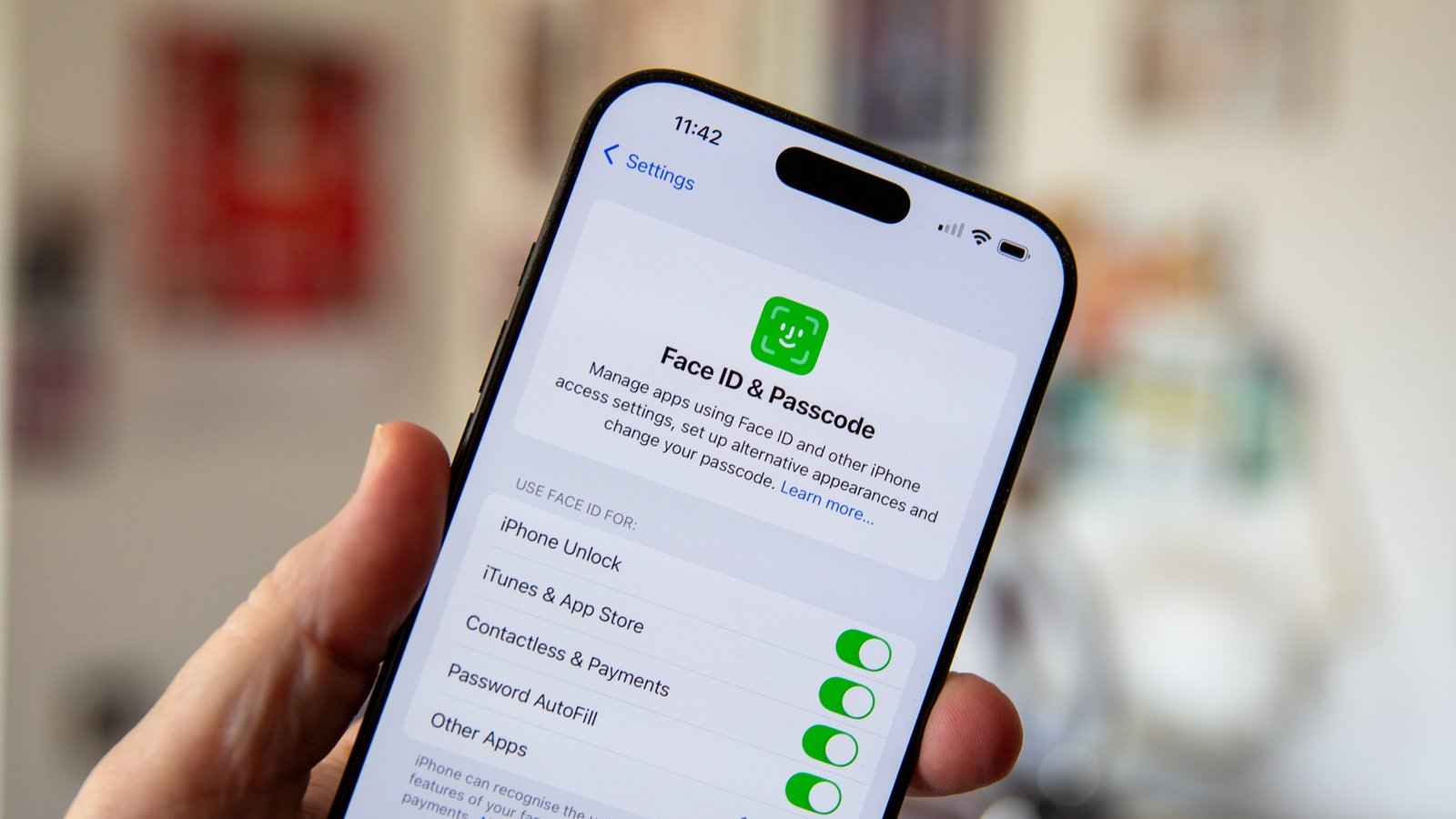
The term Attention Awareness iPhone usually refers to Apple’s “Attention Aware Features,” a smart iPhone setting that uses the device’s front camera system to understand whether you are looking at your screen. It sounds like a small feature, but it quietly improves how your iPhone behaves in everyday use.
For example, your iPhone can keep the display from dimming while you are reading, lower alert volume when you are already looking at the screen, and make Face ID feel more secure. Apple explains that these features work through the TrueDepth camera on supported iPhone models with Face ID.
In simple words, Attention Awareness helps your iPhone respond more naturally. Instead of treating every situation the same, it checks whether your attention is on the device and adjusts certain actions automatically.
What Is Attention Awareness iPhone?
Attention Awareness iPhone is a feature that allows your device to detect whether you are paying attention to it. It does not mean your iPhone is “watching” you in a creepy way. It simply uses the Face ID camera system to check your attention and make small adjustments to improve your experience.
Apple officially calls this setting Attention Aware Features. When it is turned on, your iPhone can delay screen dimming if you are still looking at the display. This is useful when you are reading an article, checking a recipe, scrolling through notes, or reviewing a document without touching the screen.
Another useful part of Attention Awareness is alert volume control. When you are looking at your iPhone, the device may lower the volume of some alerts because it knows you have already noticed the screen. That makes notifications feel less harsh, especially when your phone is close to your face.
How Attention Awareness Works on iPhone
Attention Awareness works through Apple’s TrueDepth camera, the same advanced front camera system used for Face ID. This camera system helps the iPhone understand whether your eyes are open and whether your attention is directed toward the device.
The feature does not require you to unlock the phone every time it checks attention. It works quietly in the background for supported actions, such as preventing the display from dimming or reducing alert volume. Apple also notes that Attention Aware Features can work even if you have not enrolled in Face ID, as long as the device supports the TrueDepth camera.
This is why the feature feels almost invisible. You may not notice it when it is working well, but you will feel the difference if it is turned off. Your screen may dim faster while reading, or notifications may sound louder even when you are already looking at the phone.
Why Attention Awareness iPhone Is Useful

The biggest benefit of Attention Awareness iPhone is convenience. Many people read messages, emails, PDFs, recipes, or long posts on their iPhone. Without this feature, the display may dim or lock while you are still reading. With Attention Awareness, the iPhone can keep the screen active while your attention remains on it.
It also makes alerts feel smarter. Imagine holding your iPhone and seeing a notification appear. If the phone knows you are looking at it, there is less need for a loud alert. Lowering the volume in that situation feels more natural and less annoying.
There is also a security benefit linked to Face ID. Apple explains that Face ID is attention-aware and can recognize whether your eyes are open and directed toward the device, which helps make it harder for someone to unlock your phone without your knowledge.
Which iPhones Support Attention Awareness iPhone?
Attention Awareness iPhone is available on iPhone models that include Face ID and the TrueDepth camera system. Apple states that the TrueDepth camera is available on iPhone X or later, except iPhone SE models.
That means if you use an iPhone with Face ID, there is a strong chance your device supports Attention Aware Features. If you use an iPhone SE, even a newer SE model, this specific feature is not available because iPhone SE uses Touch ID instead of the TrueDepth Face ID system.
This matters because some users search for the setting and cannot find it. In many cases, the reason is simple: their iPhone model does not support it. The setting appears under Face ID-related options only on compatible devices.
How to Turn Attention Awareness iPhone On or Off
To manage Attention Awareness iPhone on iPhone, open the Settings app, then tap Face ID & Passcode. After entering your passcode, look for Attention Aware Features and turn it on or off based on your preference. Apple gives this same path for disabling the feature if you do not want to use it.
You may also see another related option called Require Attention for Face ID. This is different from Attention Aware Features. Require Attention for Face ID adds security by making sure you are looking at the phone before it unlocks.
For most users, keeping both options on is the better choice. You get a smoother display experience, quieter alerts when appropriate, and stronger Face ID protection. However, some people turn off attention requirements for accessibility reasons, especially if they have difficulty looking directly at the screen.
Attention Awareness iPhone vs. Require Attention for Face ID
Many iPhone users confuse Attention Awareness iPhone Features with Require Attention for Face ID, but they are not exactly the same. Attention Aware Features control comfort-based actions, such as screen dimming, lock-screen notification behavior, and alert volume adjustments.
Require Attention for Face ID is more focused on security. It helps confirm that you are intentionally looking at your iPhone before Face ID unlocks it. Apple says Face ID can detect whether your eyes are open and your attention is directed toward the device, which helps protect against unwanted unlocking.
So, think of it this way: Attention Aware Features improve daily usability, while Require Attention for Face ID improves authentication safety. Both use attention detection, but they serve slightly different purposes.
Privacy and Safety: Should You Worry?
Privacy is a common concern whenever a phone uses a camera-based feature. In this case, Attention Awareness iPhone works through the same system used for Face ID. Apple says Face ID data is encrypted and protected by the Secure Enclave, and the system uses mathematical representations rather than storing a normal face photo.
That means the feature is designed to work on the device, not as a tool for sending your face data somewhere else. The iPhone only needs to understand whether your attention is directed toward the screen for specific functions.
Still, privacy comfort is personal. If you do not like the idea of your iPhone checking attention, you can turn the feature off. Apple gives users direct control through Settings, so you are not forced to keep it enabled.
Common Problems With Attention Awareness iPhone
One common issue is that the feature may not work properly if the TrueDepth camera is blocked. Screen protectors, dirty sensors, damaged camera areas, or some bulky cases can interfere with Face ID-related features. If Attention Awareness iPhone feels inconsistent, cleaning the front camera area is a good first step.
Another issue happens in low attention situations. For example, if you are looking at the phone from an angle, wearing certain sunglasses, or keeping the device too far away, the iPhone may not clearly detect your attention. In that case, the screen may dim even though you are still reading.
Some users also think Attention Awareness controls every notification sound. It does not. Apple describes it as lowering the volume of alerts when you are looking at the device, but behavior can vary depending on the alert type, app, settings, and iOS behavior.
Should You Keep Attention Awareness Turned On?
For most iPhone users, Attention Awareness iPhone is worth keeping on. It makes the phone feel smarter without requiring extra effort. The screen stays readable when you need it, and alerts become less aggressive when your attention is already on the device.
It is especially helpful if you read a lot on your iPhone. Students, professionals, content creators, and casual readers can all benefit from fewer screen-dimming interruptions. Small features like this often save time without making a big show of it.
However, turning it off may make sense for some users. If you have accessibility needs, trouble looking directly at the screen, or simply Attention Awareness iPhone manual control, disabling it is perfectly fine. The best setting is the one that makes your iPhone easier and more comfortable to use.
Conclusion
Attention Awareness iPhone on iPhone is one of those quiet features that improves the experience without asking for attention itself. It uses the TrueDepth camera on Face ID-supported iPhones to check whether you are looking at the device and then adjusts certain behaviors automatically.
Its main benefits are simple but valuable: the screen does not dim too quickly while you are looking, some alerts become quieter when you already see them, and Face ID can gain an extra layer of attention-based security. Apple includes these options under Face ID and Passcode settings, so users can control them easily.
Also Read: 8tshare6a Software